


Casting contracts: templates, PDFs and signed versions
Keep the contract with the application, from the first draft to the signed copy. A practical workflow for agency teams.
Read the article ↗
Keep the contract with the application, from the first draft to the signed copy. A practical workflow for agency teams.
Creating each contract from scratch means repeating the same work and searching through different folders. In Settings → Contract templates, prepare a reusable document with your agency’s identity. The editor displays portrait A4 pages while treating the text as one document. Font size, alignment and page breaks help you control the result.
Insert a logo, adjust image width and alignment, and enable a repeating header or footer when needed. Empty headers and footers do not reserve space. Check the filled-in preview rather than relying only on the template view.
Template fields can include personal details, IBAN, compensation, today’s date and the person’s assigned shifts. The schedule should describe that person’s working days and hours, not simply the event’s overall opening times. Review every field and adapt the wording to the contractual relationship. The agency remains responsible for the chosen template and its content.
Send the contract through the application’s communication workflow. The applicant can download it from their own application, where a highlighted notice makes the outstanding document easy to find. Either the applicant or the agency can upload the signed PDF. CastVent collects an already signed file; it does not apply an electronic signature.
Sent and signed contracts have their own section, separate from photos, CVs and videos. Open a PDF in the app or download it. Additional signed uploads are retained as V2, V3 and subsequent versions. Applicants cannot delete signed contracts. Clear file names include the person and event, making downloaded documents easier to identify.
The practical benefit is that the contract, communications and staffing assignments remain close to the application. Contract management is included in Agenzia and Pro. The current fiscal calculations remain based on Italian rules, irrespective of interface language.
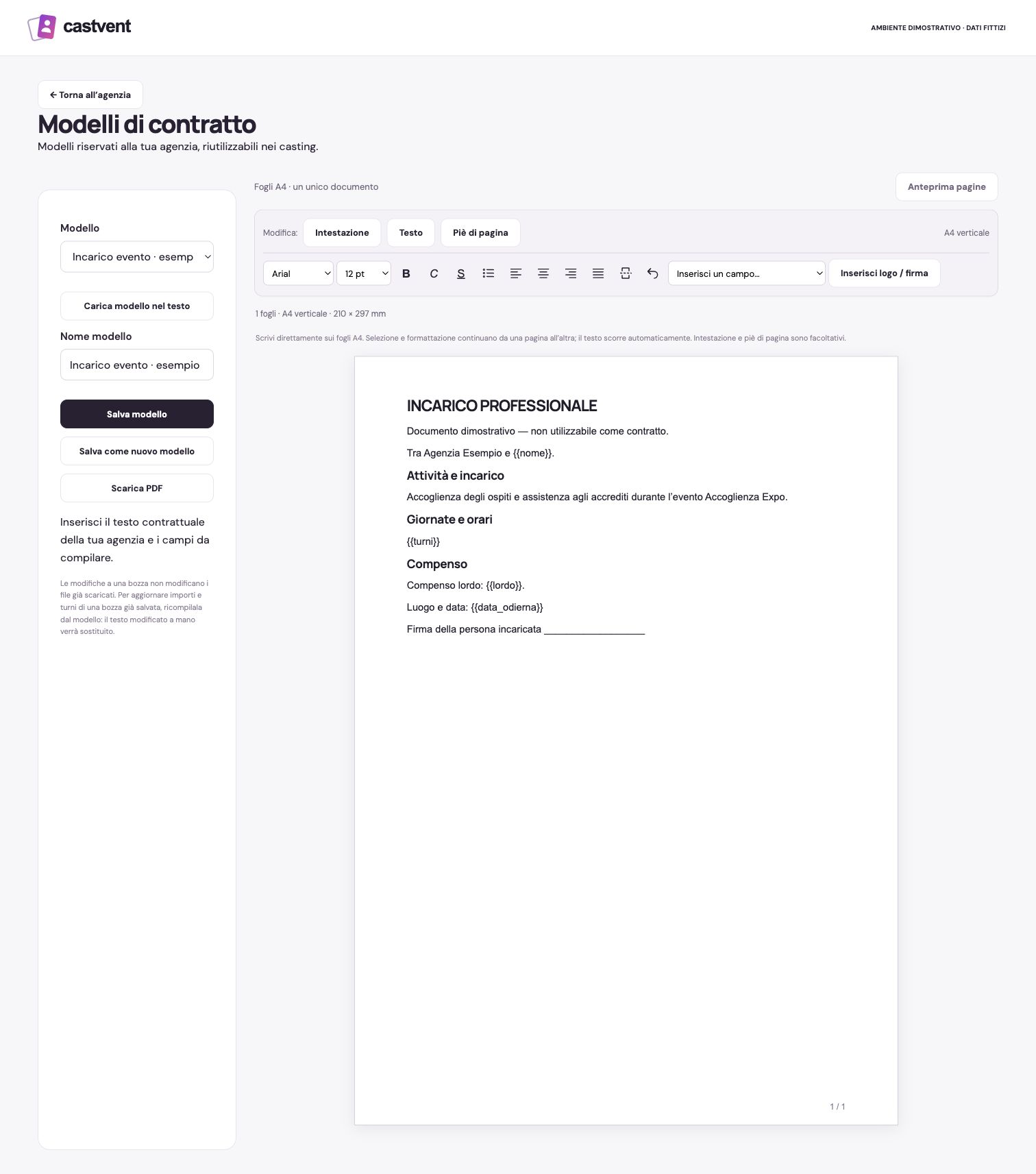
Demonstration interface in Italian. Events, people and materials are fictional; profile images are illustrative.
Keep the contract with the application, from the first draft to the signed copy. A practical workflow for agency teams.
Read the article ↗Choose around the work your agency actually does: selection, contracts, staff planning, online interviews and wardrobe.
Read the article ↗Give each collaborator a clear role while keeping personal applicant accounts separate from agency access.
Read the article ↗Try CastVent free for 30 days. No card required. No automatic charge.
The current service uses Italian tax and administrative rules. Choosing English or French changes the language, not the tax regime or the applicable contract model.